



.avif)

MCP Connector · Now available
Bring GLG into your AI assistant.
The GLG MCP connector gives any Model-Context-Protocol-compatible client access to the GLG Library and your GLG calls.
- Oauth sign-in
- No AI training
Capabilities
Your GLG account, available wherever you work
Once connected, your AI assistant can fetch your GLG data on demand — inline, in natural conversation, without leaving the tools you already use.
Just ask
Your GLG account, available wherever you work
Once connected, your AI assistant can fetch your GLG data on demand — inline, in natural conversation, without leaving the tools you already use.

"Find expert perspectives on tariff impacts on global supply chains."
"How are experts viewing power demand growth from data centers in 2026?"
"Pull the latest GLG insights on enterprise AI adoption."
"Pull my 10 most recent GLG calls. "
"What were the most important things the expert said on my last semiconductor call?"
"What calls do I have in my consumer spending project?"
How it works
Set up the MCP server
The connector implements the open Model Context Protocol. Any MCP-compatible client can connect to GLG with no custom integration on your side.
Add the connector
From your AI client's MCP settings, add the GLG connector endpoint. Exact steps vary by client — the docs cover the most common ones.
Sign in to GLG
A browser window opens for you to authenticate with your GLG account. Credentials never reach your AI client — auth happens directly with GLG.
Ask anything
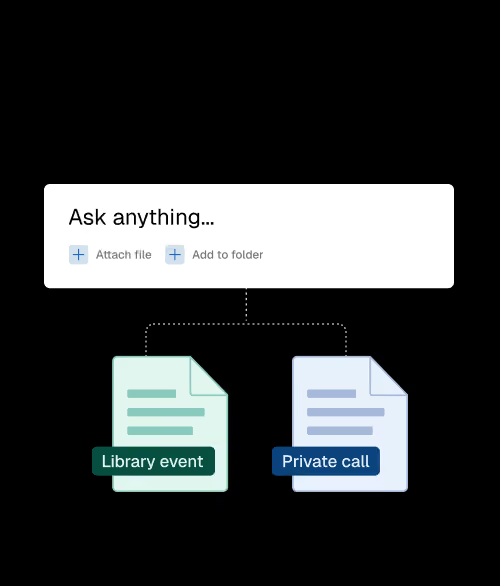
Your assistant can now query GLG on your behalf. Data is fetched live, scoped to your account. Query results are never stored and your full conversation stays private.
Security & access
Scoped to your account
OAuth sign-in
Authenticated directly with GLG. Your credentials never touch the AI client.
Only what’s needed
GLG receives only the specific data requests needed to answer you — never your full conversation or your assistant’s responses.
No AI training
GLG does not use your data to train or improve any AI model. Data handling by your AI provider is governed by your firm's agreement with that provider.
Read the documentation to get connected.
Setup, authentication, data access, and troubleshooting — everything you need to bring GLG into your AI workflow.